

Back in March 2023 we added support allowing you to import properties from Property Finder UAE using their XML feed.
Since then, things have moved on and they now have a new API available to use. We’re pleased to announce that, in line with this, we’ve now updated the Property Import add on to support this new API.
The new API integration has improved capabilities over the old XML feel including pagination and filtering.
How to import properties from Property Finder UAE to WordPress
Step 1: Install the Property Hive Property Import add on
Step 2: Navigate to ‘Property Hive > Import Properties‘
Step 3: Click ‘Create Import‘
Step 4: Enter your Property Finder API Key and API secret. To get these, open the PF Expert application and navigate to the ‘API Credentials‘ section under the Developer Resources tab in the left sidebar. From here, you can generate a new API key and API secret. Be sure to use the type as ‘API Integration‘.
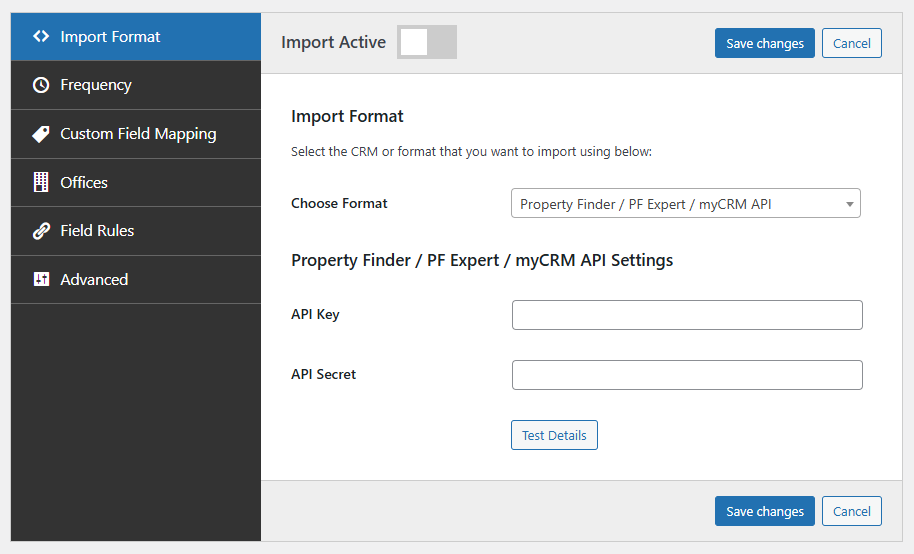
With the import now created your properties will feed automatically from Property Finder, ready for displaying on your website.
Property Hive Pro users can use this functionality straight away. For new users, we offer a 7 day trial.