
Sync enquiries from Property Hive to your Vebra Alto CRM
Table of Contents
Table of Contents
If you’re one of the many agents using Property Hive to import properties from Alto, this update is for you.
With this newly released feature, you can now export property enquiries directly from your website into the Alto CRM. This removes the need for manual data entry and helps ensure no leads are missed.
In short, it creates a smoother, more connected workflow between your website and your CRM.
What’s new in the Property Hive Alto integration?
Property enquiries submitted through your website can now be automatically synced with Alto CRM.
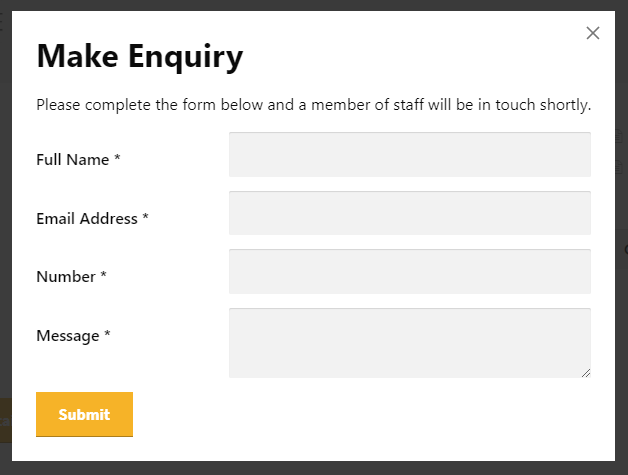
This means that when a potential buyer or tenant submits an enquiry about a property, the system instantly sends their details to your CRM. From there, your team can follow up, track activity, and nurture the lead without any manual input.
Why this integration matters
Save time on manual tasks
Manually handling enquiries might not seem like a big task at first. However, it quickly adds up, especially when you are dealing with a high volume of leads.
Without this integration, your process probably looks like this:
- An enquiry comes in via your website
- You receive an email notification
- You log into your CRM
- You manually create a new contact or lead
- You copy and paste the details across
You’ve got better things to do than repeating that process dozens or even hundreds of times each week.
With the integration enabled, the process becomes much simpler and time efficient:
- An enquiry comes in
- The system automatically adds it to your Alto CRM
- The lead is ready for immediate action
Because of this, you eliminate duplication, reduce delays, and minimise the risk of human error.
Improve data quality and follow up
Automation doesn’t just save time—it also improves consistency across your data.
By sending enquiries directly into your CRM:
- You reduce the risk of missed or forgotten leads
- Your data remains clean and standardised
- Your team can respond faster while interest is still high
In addition, because everything is stored in one central place, your team stays aligned and better informed when managing enquiries.
How to enable Alto enquiry sync in Property Hive
You can enable this feature within your WordPress dashboard by navigating to:
Property Hive > Settings > Features
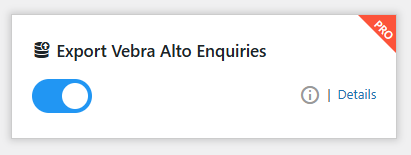
Once enabled, a new settings tab will appear under:
Property Hive > Settings > Vebra Alto Enquiries
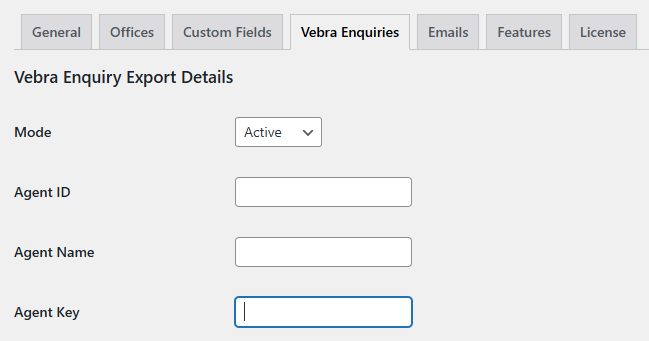
Here, you can enter the details provided by Alto to complete the setup.
After that, all property enquiries submitted through your website will continue to be captured as normal. You will still receive email notifications; however, the system will also automatically push each enquiry into your Alto CRM.
Not using Property Hive yet?
If you’re looking to import your properties from Alto into WordPress and keep your enquiries in sync, Property Hive is the way to do it.
Read more about importing properties from Alto and getting started with Property Hive here.