
Template Assistant is now part of the Property Hive core plugin
Table of Contents
Table of Contents
We’ve been busy doing a bit of Spring cleaning here at Property Hive and have just performed a release that aims to simplify and streamline your experience of using our plugin.
As of version 2.2 of Property Hive, the Template Assistant add on has been removed and it’s functionality merged into the core plugin.
What is the Template Assistant add on?
Property Hive has always had an extra add on available called Template Assistant. This add on was separate to the core plugin and was primarily intended to support with basic frontend styling.
When it was built it contained functionality regarding:
- Search result layouts
- Control over search forms and the filters that are included
- Flags allowing you to display the availability over thumbnails
As time went on, other features were added such as:
- Additional fields allowing you to create extra fields we didn’t have by default
- Text substitution giving you the ability to change words and labels throughout the plugin (e.g. rename ‘Offers’ to ‘Note of Interest’)
Let’s take a look at what’s changed in version 2.2 of Property Hive:
What’s changed?
Template Assistant tab remains for now
If you have previously had the Template Assistant add on active, the settings tab will remain for now. Here you’ll now find a temporary page with instructions and links on how to find the functionality that’s moved:
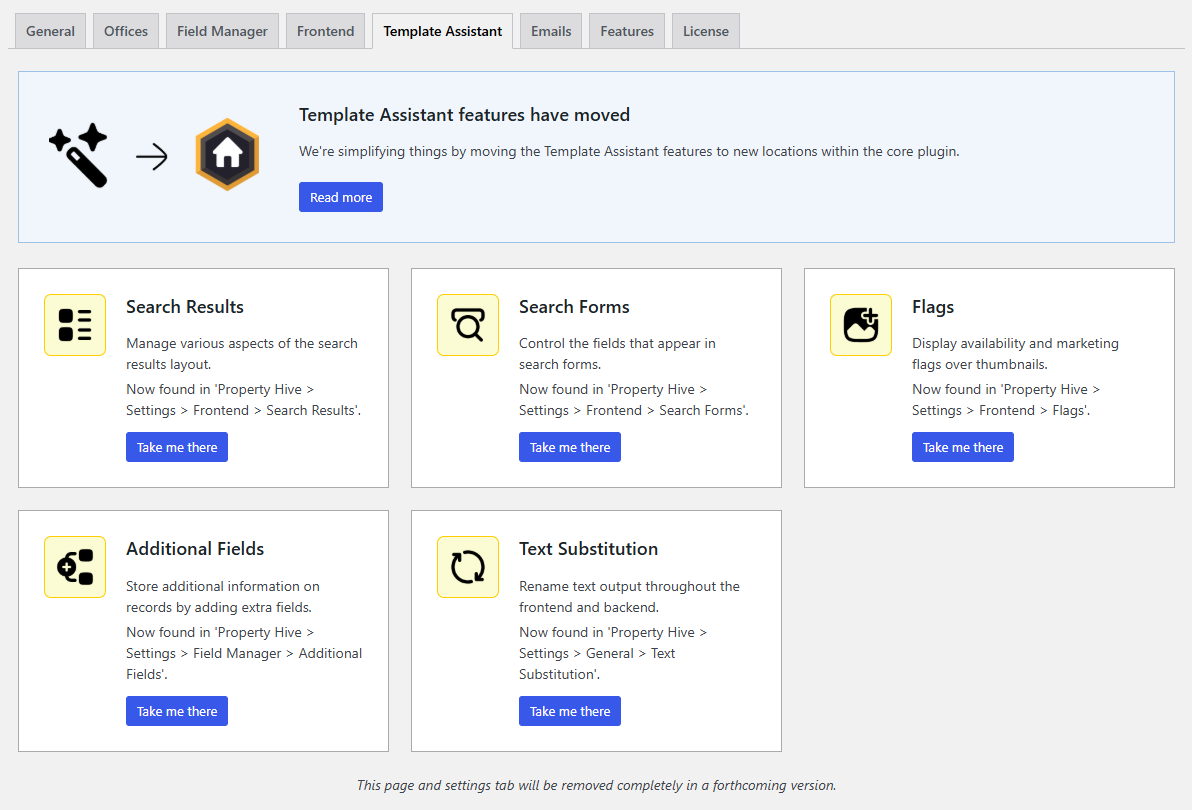
New ‘Frontend‘ settings area
Settings related to ‘Search Results‘, ‘Search Forms‘ and ‘Flags‘ are now under a new settings tab called ‘Frontend‘. This is where all website and styling related options will now live.
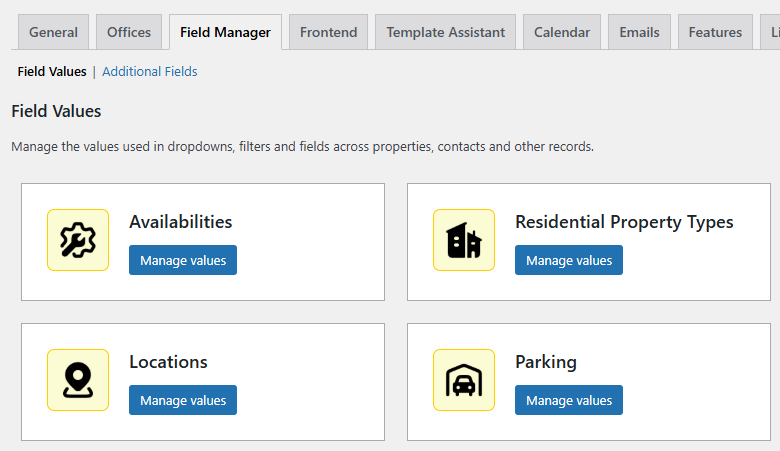
New ‘Field Manager‘ settings area and ‘Custom Fields‘ renamed
Previously, ‘Custom Fields’ have been accessed from the settings area of the core plugin. ‘Custom Fields’ (now ‘Field Values’) is where you customise the values that show in dropdowns, such as property type and status.
‘Additional Fields‘ appeared separately as a feature in the Template Assistant add on. ‘Additional FIelds’ is where you can add additional fields to any record in Property Hive.
In order to simplify things we’ve merged the settings relating to field management together into a new tab in the settings area called ‘Field Manager‘. Here you’ll find the Custom Fields functionality from the core plugin (renamed to ‘Field Values‘), as well as the ‘Additional Fields‘ feature from the Template Assistant.
In summary, anything related to customisable fields now lives under the ‘Field Manager‘ settings tab.
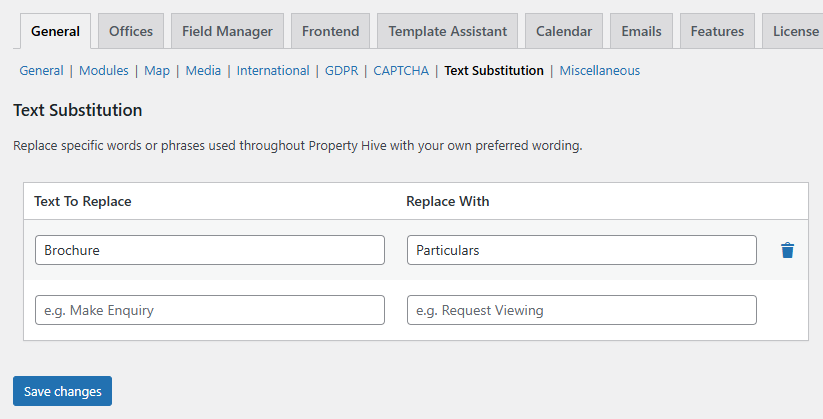
‘Text Substitution‘ moved to the ‘General‘ settings
Last but not least, the text substitution feature has been moved to the ‘General‘ tab:
Why change this?
Most sites have Template Assistant installed
We found that most sites that have Property Hive installed, also have the Template Assistant installed as well. That’s because the features included in Template Assistant are essential core features that help getting up and running with Property Hive.
We can put functionality where it belongs
We’re holding our hands up and admitting that some functionality shouldn’t have gone into the Template Assistant. Additional fields and text substitution, for example, aren’t template related and apply to the plugin as a whole. These changes mean we can put features in a more logical place where they feel more at home.
Big things are coming
These changes also mark the start of some exciting improvements coming up over the next few months. This task of merging functionality into the core plugin sets us on a good footing to power ahead with the fun stuff.
One less plugin for you to worry about
If nothing else, it’s one less plugin to have installed on your site that you need to keep updated.
How do I benefit from this?
It’s easy. Simply update to the latest version of Property Hive, version 2.2.
When you update, we’ll automatically deactivate the existing Template Assistant add on if it’s currently active.
Once you’re up to date, you’ll find all of the new and moved functionality ready to go.