

If you’ve searched for how to add property listings to Wix, Webflow or Squarespace, you’re not alone. Many estate agents and developers need a straightforward way to embed property listings into a website that don’t support property functionality.
If you have a website built on a platform such as Wix, Webflow or Squarespace, you might have struggled to find a simple way to add your property listings. Most website builders do not offer a built in option for displaying properties and creating a custom integration can end up being expensive or time consuming.
Introducing PropEmbed
To solve this, we’ve created PropEmbed, a standalone product built by the Property Hive team. PropEmbed is a multi-platform property widget builder that uses live data from your CRM to create fully customisable widgets. Once your widget is ready, you simply copy and paste the embed code into your website and your listings will appear straight away.
We’re really pleased to share this with you. Let’s take a closer look at PropEmbed and learn how you can use it to display your listings on any modern website platform.
What PropEmbed Is
PropEmbed is a property widget builder that makes it easy to display your property listings on any modern website platform. You simply design your widget, connect your CRM and copy the embed code into your website. Your listings will appear straight away and stay up to date with your CRM.
There’s nothing to install, no coding is required and everything works through your browser.
Why We Built It
Our mission at Property Hive is to build tools that make building property websites more accessible for both estate agents and developers.
We often hear from estate agents and developers who want to use website builders like Wix or Webflow but still need a property feed that stays in sync with their CRM. The options have been limited until now, and many users end up asking questions such as:
- How do I add my property listings to Wix?
- Can I show my CRM properties on Webflow?
- What do I use if my site isn’t built on WordPress?
Many agents already use Property Hive for WordPress, and that remains the best choice when you need deep customisation or a fully tailored estate agency website. But not everyone works on WordPress, and some teams prefer platforms like Wix or Webflow. PropEmbed was created to support those situations, giving you a simple way to display property listings wherever your website is hosted.
What PropEmbed Lets You Do
Design
PropEmbed gives you a flexible way to display your property listings on almost any website. You can create a custom widget that suits the design of your site by controlling the colours, text, sizing and what information appears for each property.
This short demo shows inside the PropEmbed widget builder, where you can see options for layout, spacing and colours.
Using this interface, estate agents can customise widgets to match any brand style.
Import
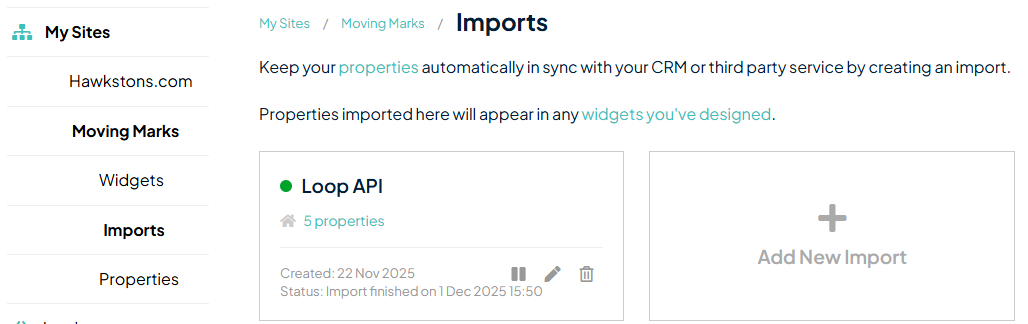
PropEmbed connects directly to your CRM, so once an import is running your listings stay up to date automatically. As shown beneath, imports can be managed in the account area of PropEmbed.
Embed property listings into a website
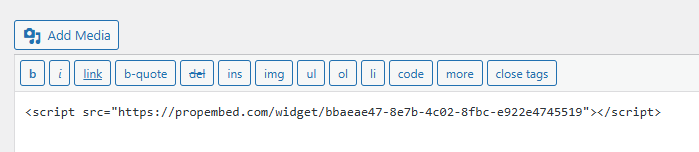
Your widget will work with platforms like Wix, Webflow, Squarespace, Shopify and most custom built sites. When your widget is ready, you simply copy and paste a short embed code like the one below into your website builder and your properties will appear immediately.
Main Features
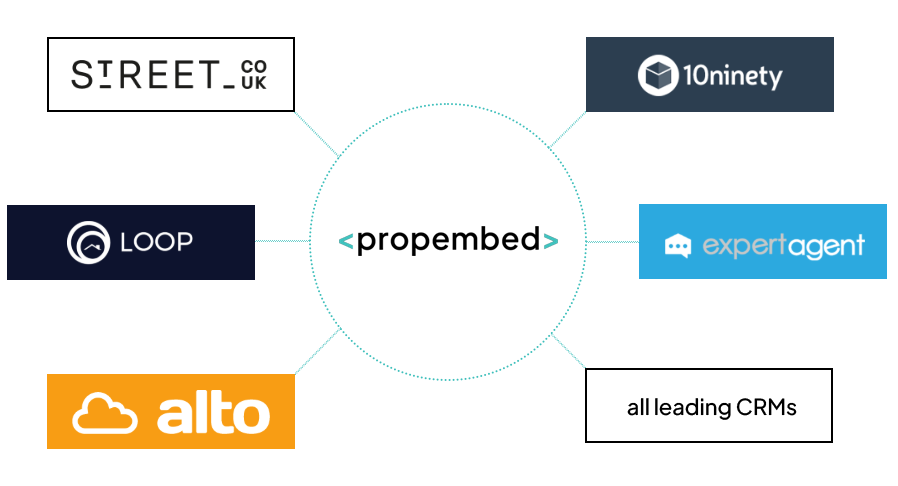
Works with major UK CRMs
Your listings update automatically based on your CRM data.
Customisable designs
You can control colours, fonts, text, sizing, layout and property details.
Copy and paste embed
PropEmbed generates a short embed code that works in website builders, including Wix, Webflow, Squarespace and Shopify.
Create multiple widgets
Create unlimited widgets for displaying across your website in different places. For example, you might have a ‘Recent Properties’ widget for your home page in addition to the main property results page.
Multi platform compatible
Embed your custom widget to display your listings on any modern website platform.
No code
Estate agents, marketing teams, web designers and developers can all use PropEmbed with very little setup.
Who It’s For
PropEmbed is suitable for anyone who needs to embed property listings into a website without building a custom integration. It’s particularly useful for:
- Estate agents
- Developers working across multiple platforms
- Designers using website builders like Wix, Webflow or Squarespace
- Marketing teams creating landing pages or campaign sites
How It Works
Quick Steps
- Visit propembed.com
- Connect your CRM
- Build and personalise your widget
- Copy the embed code
- Paste the code it into your website builder
- Your properties will appear instantly
This approach works on almost any modern platform that accepts HTML embeds.
Frequently Asked Questions
Do I need WordPress to use PropEmbed?
No. PropEmbed works independently of WordPress and supports most website builders.
Can I customise the widget?
Yes. You can choose layouts, colours, spacing, fonts and which property details to display.
Does it work with my CRM?
PropEmbed connects with the main UK CRMs (e.g Alto, Street, Loop, 10ninety, Dezrez, Jupix, SME Professional and many more). Please email info@propembed.com if your CRM is not listed and we will do our best to fulfill your requirements.
Do I Need Coding Skills to Embed Property Listings Into a Website?
No coding is required. You simply copy and paste an embed code into your website.
Try PropEmbed
PropEmbed is available to explore today, and you can try the widget builder for free. Head to propembed.com to begin.